What Kind Of Artwork? For Name Tags, Photo ID Badges, Name Plates & More
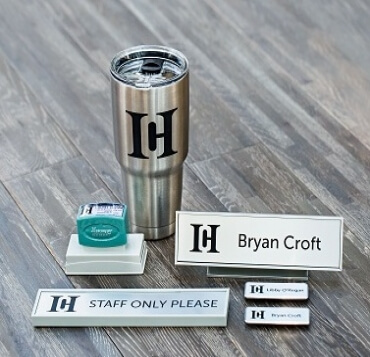
A business is nothing without the employees behind it. Here at Name Tag Wizard, we find our purpose in giving you the tools you need to equip those employees for success. Whether they need name tags for customer interactions or a custom desk plate to make their workspace look professional, our specialty is connecting names to faces! Designing personalized products is easy with our design wizard, but today we’re here to make it even easier. Follow these tips and tricks for uploading your artwork and ordering your custom products.
Using the Wizard
The best thing about the design wizard is the ability to preview a real-time proof of your product. From the rounded edges on your name tag, to the logo you need on your desk plate, you can view everything before you click “add to cart”. With all of these features, be sure to explore all of the opportunities for personalization. Check out this video tutorial on how to use our design wizard.
Uploading your Artwork
Once you’ve chosen your product and have selected the appropriate colors and texts, it’s time for the real fun! Uploading your company’s logo or any other artwork is as easy as the click of a button.
• On the product page, select the “images” tab and click on “upload file”.
• Original vector files, AI or EPS, are preferred but we also accept PDF, TIFF, JPEG, PNG, and BMP files.
• Please provide artwork with a resolution of at least 72 dpi for all products.
• Maximum file size for upload is 8 MB.
We’ve put all of these standards in place in efforts to make ordering your custom products easy, however, our Customer Focus Team is always here to help if you find you have further questions! Whether you’re having difficulties using the design wizard or need a higher resolution image, reach out to us and we’ll help you find a solution. Are you ready to order your photo ID badges, luggage tags or business card holder? Shop here!